
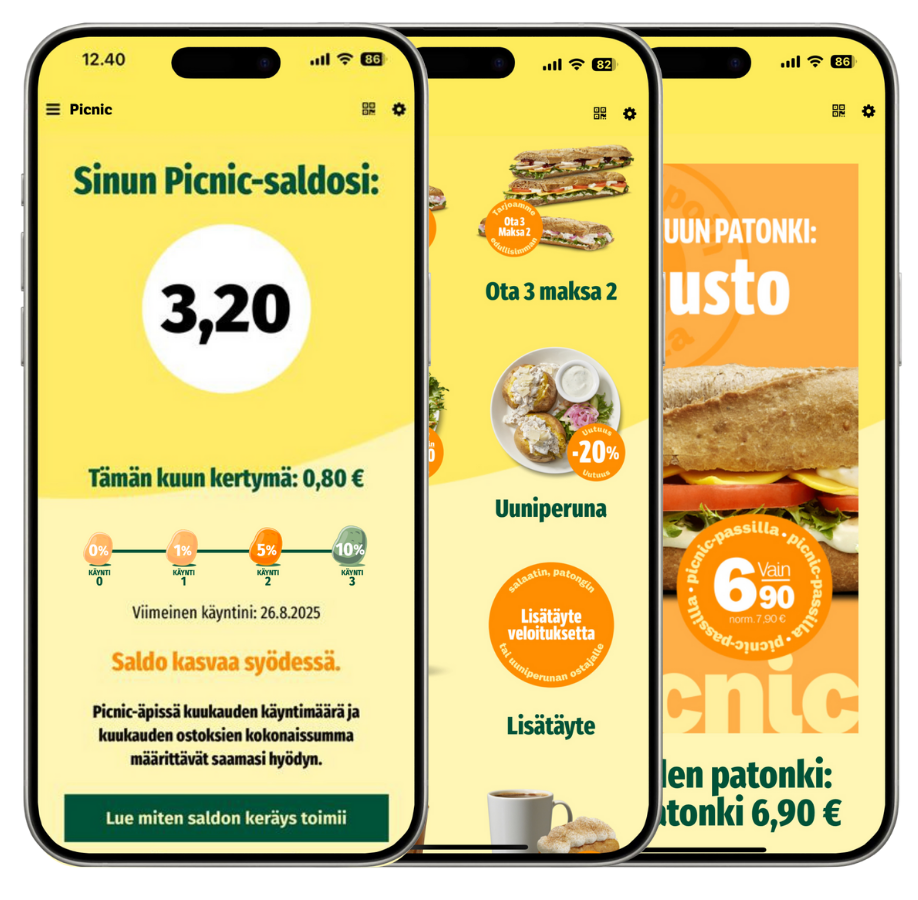
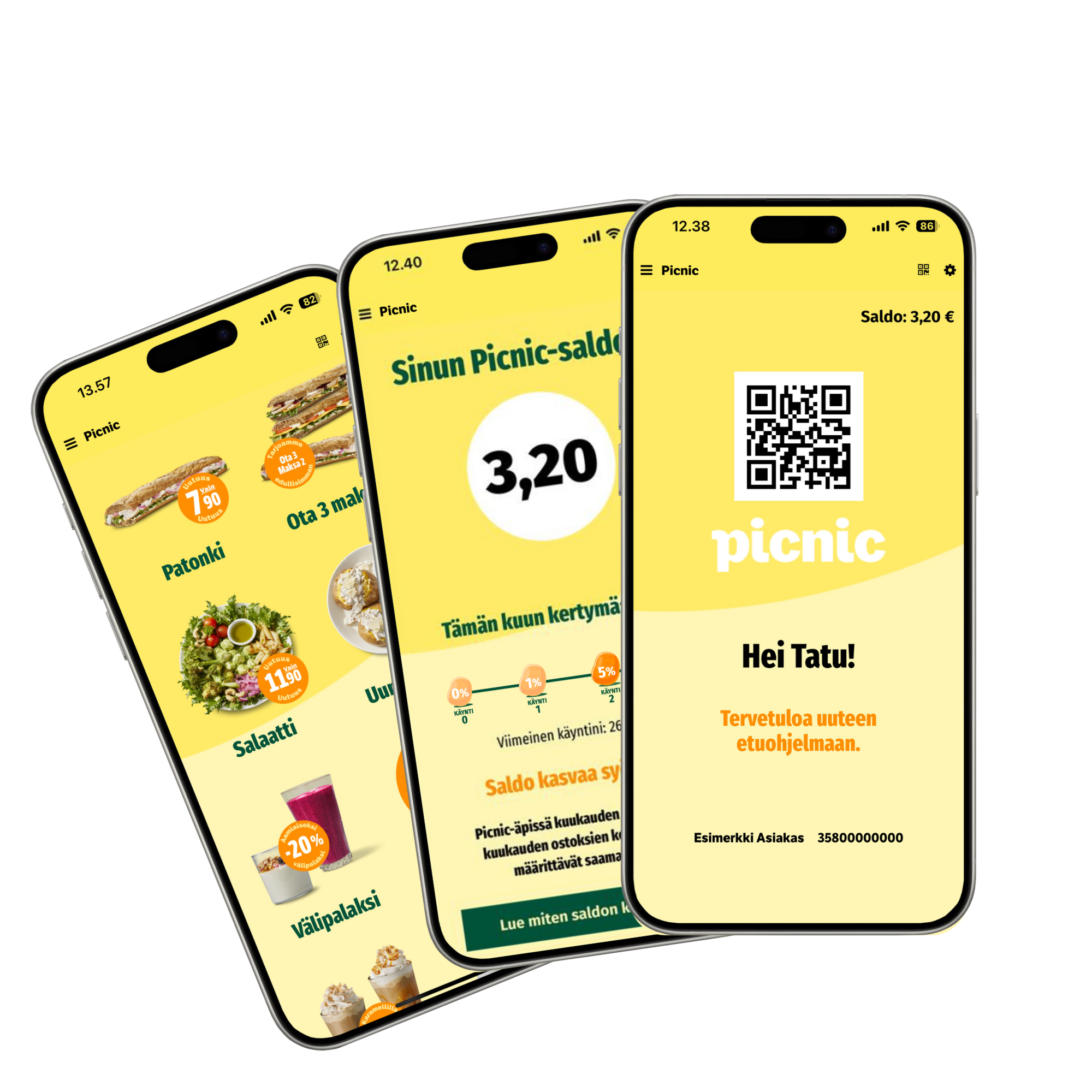
Your balance grows as you eat.
The more often you visit, the more benefits you earn.
Collect up to 10% benefit.
Download the Picnic-äppi from your app store today!

Why become a loyalty member?
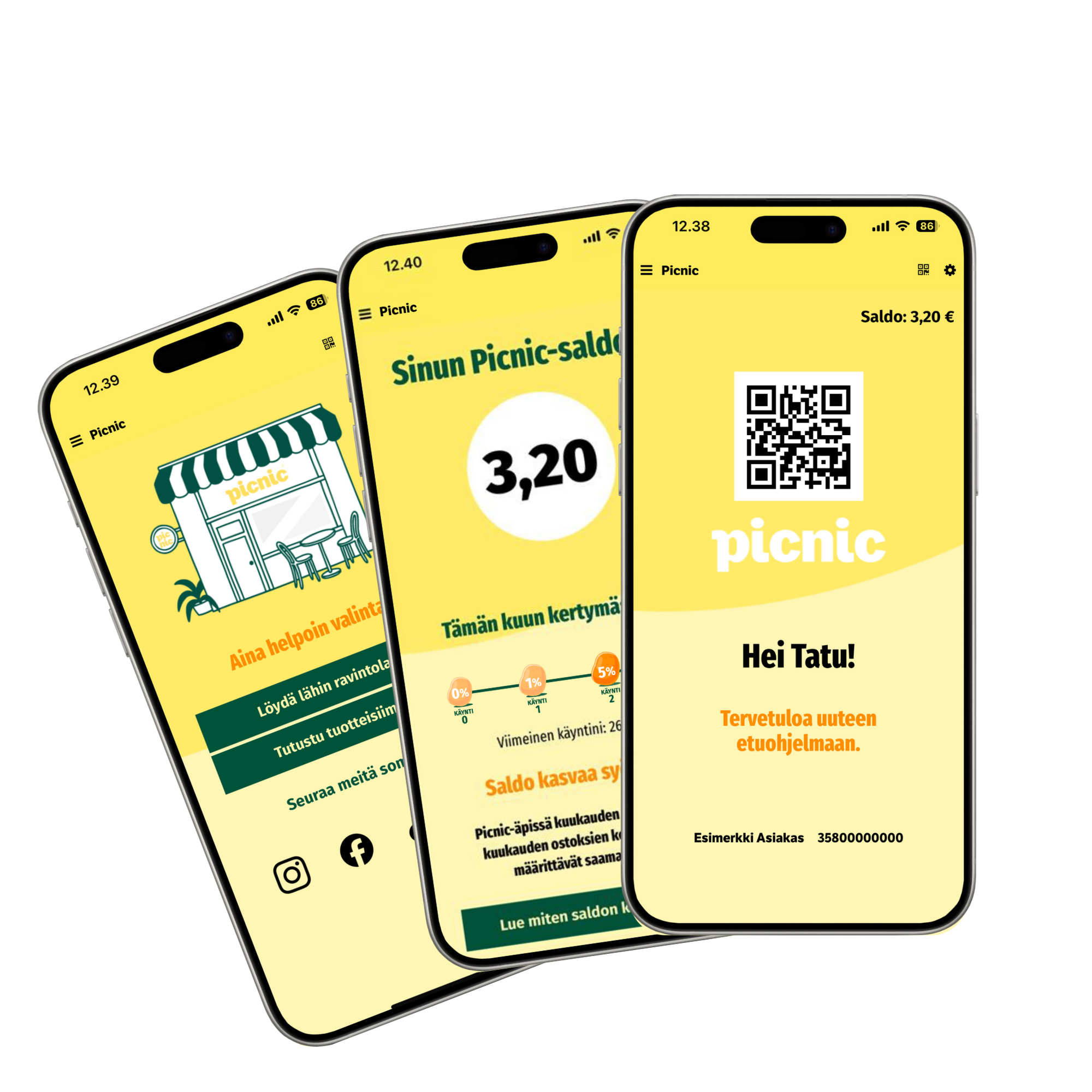
What is the Picnic loyalty program?
Picnic’s new loyalty program is finally here. With us, your balance grows as you eat!
Download the new Picnic app and enjoy all our benefits.
The more often you visit, the more you gain! Every purchase adds to your Picnic balance, which you can use for future shopping.
Earn up to 10% back.
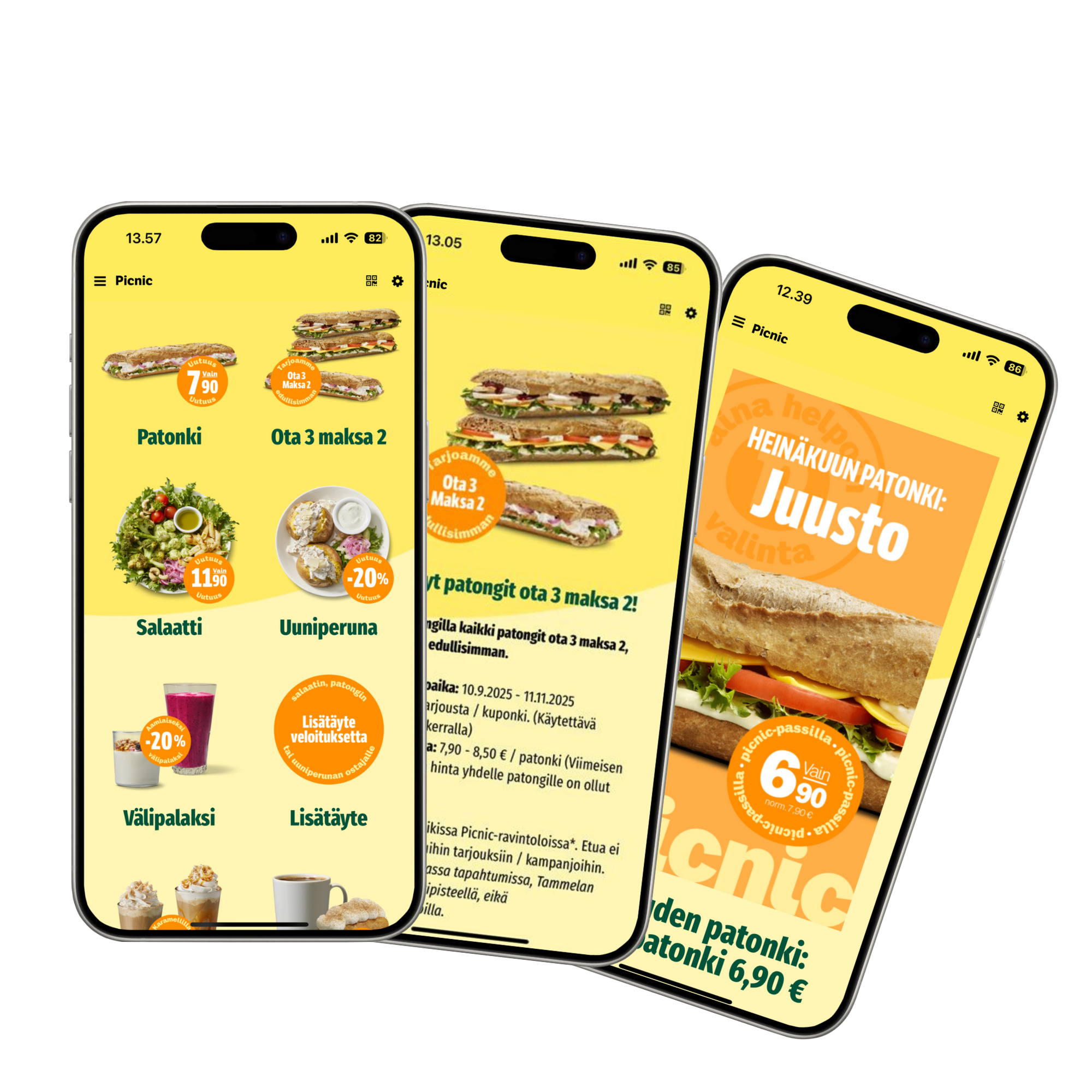
As a Picnic loyalty member
Get the best offers four times a year – always among the first.
Sandwich of the Month – a new flavor, always at a lower price.
New products, baguettes, and much more – download your benefits straight to your pocket from the app store.
The more often you visit, the more benefits you earn.
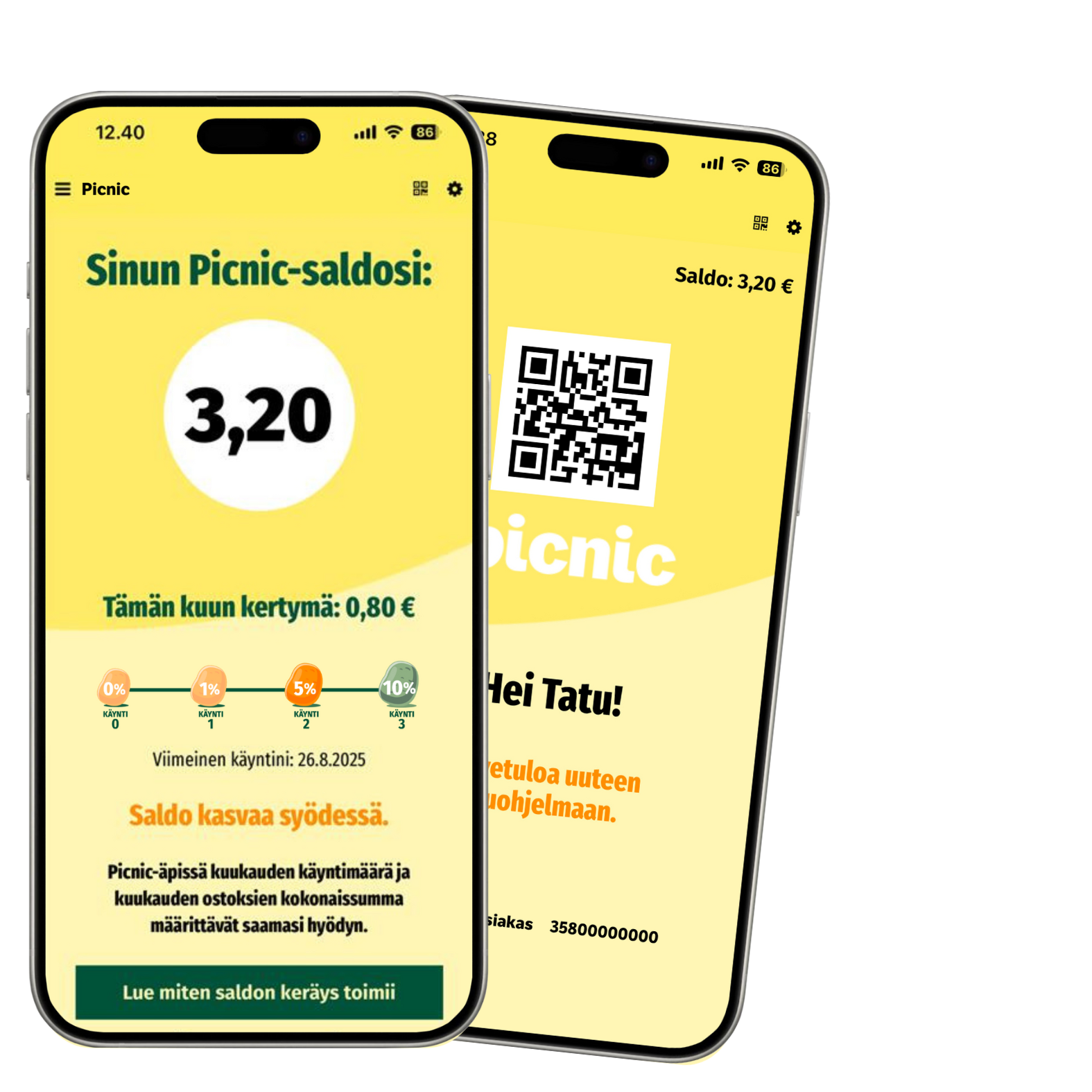
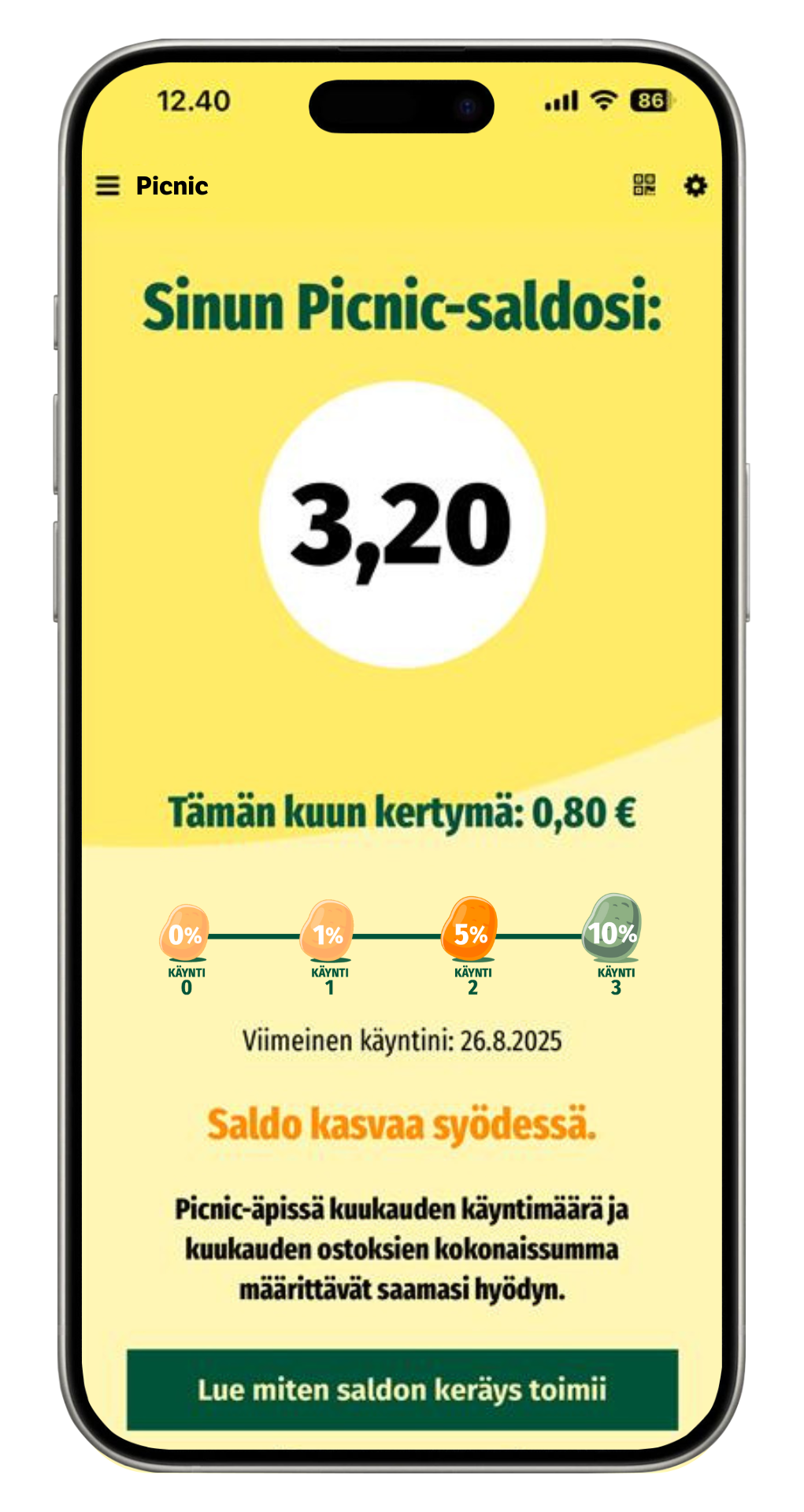
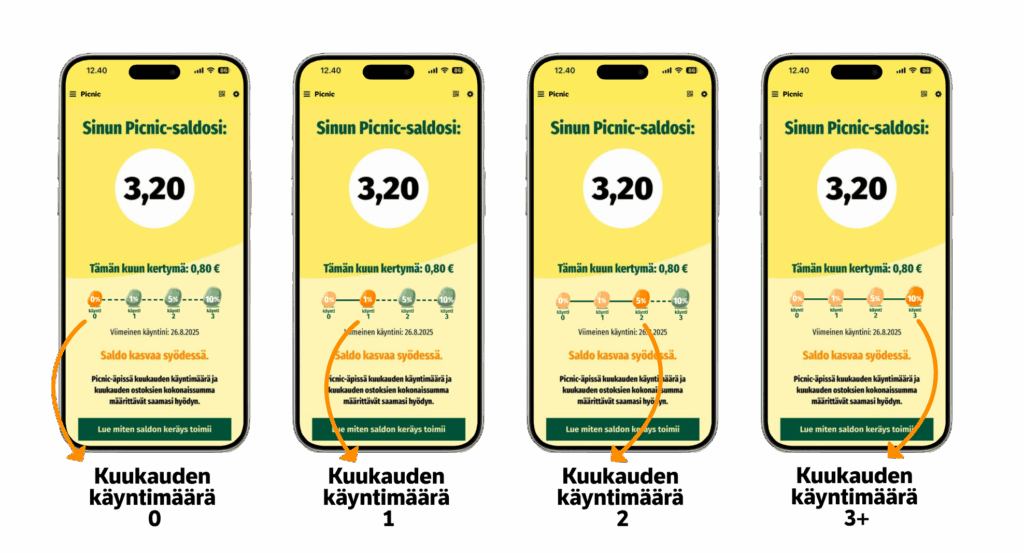
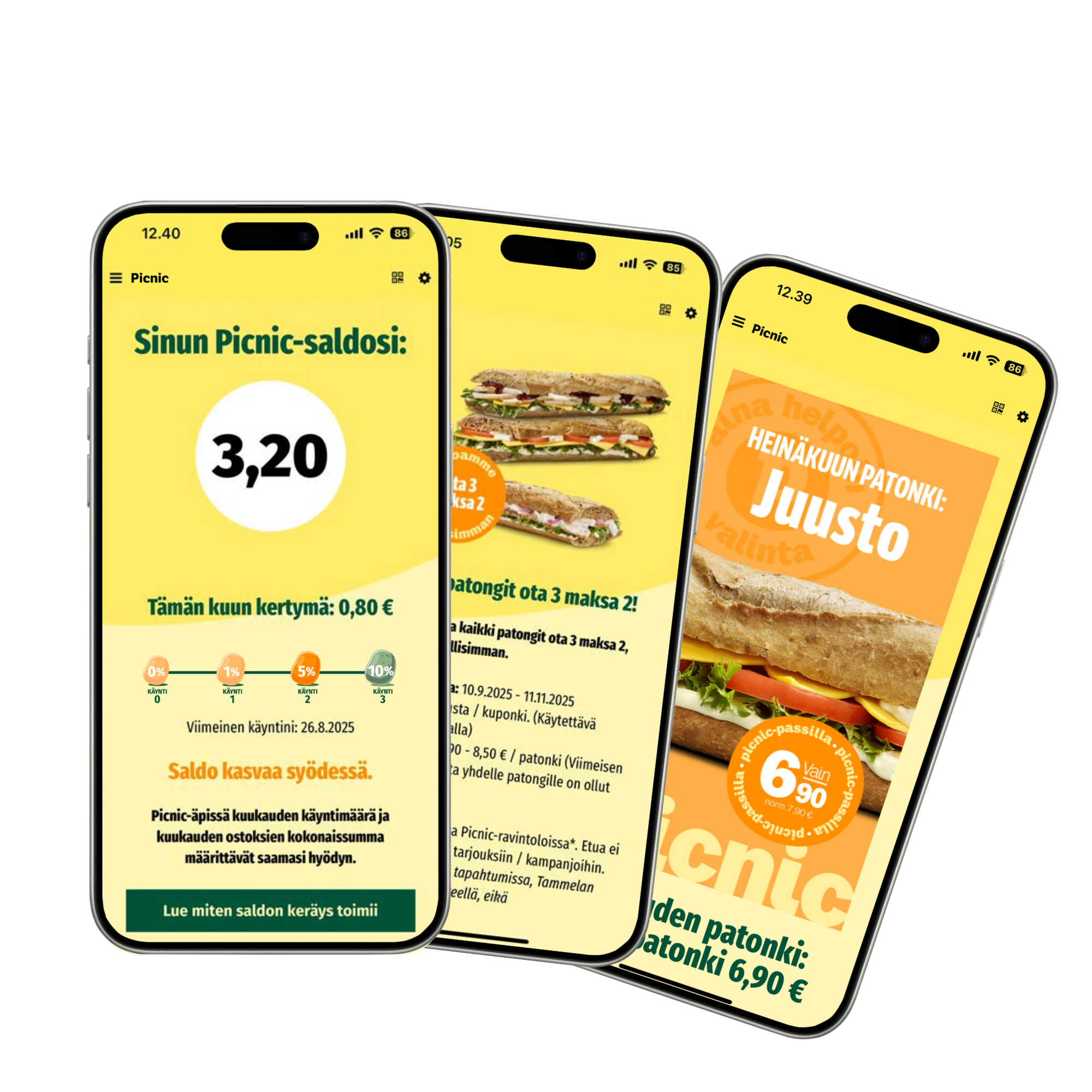
In the Picnic-äppi, your monthly number of visits and the total amount of purchases determine the benefits you receive.
1 visit per month* = 1% of the total amount of your purchases for that month
2 visits per month* = 5% of the total amount of your purchases for that month
3+ visits per month* = 10% of the total amount of your purchases for that month
Balance is collected on a calendar month basis by showing the QR code in the Picnic app at the register before paying for your purchases. Balances collected in the previous month become available on the first day of the following month.
The balance is valid for 6 months from the date it was most recently earned.
For example: a balance available on July 1 will expire on January 1 if no new balance is earned before the expiration date. You earn balance every time you scan the QR code before paying for your purchases.
*One visit is counted as a purchase made within one hour at our restaurant, where the Picnic app QR code has been shown at the register before payment. A new purchase made within less than an hour will contribute to your monthly purchase total, but it will not advance you to the next visit level.
Picnic Finland Oy reserves the right to modify the rewards program and its terms and conditions. If you are under 18 years old, please obtain permission from your guardian before using the rewards program.
Picnic’s loyalty program has been updated.
We’ve renewed Picnic’s loyalty program.
Your customer information — such as your name, phone number, marketing consent, and other details you’ve provided — will remain unchanged.
The app and benefits program were updated on October 1, 2025.
Your earned balance will be transferred to the new program, and your stamps will be credited as visits for the first month.
From October 1, 2025 onwards, you will earn Picnic balance based on your visits and the amount of money you spend (see “How to earn balance”).
If you have balance on your old Picnic Pass = The balance has been transferred as is to your new Picnic app.
Note! Updated terms: Balances transferred from the old loyalty program are valid for 6 months (1.10.2025 – 31.3.2026). If no new purchases are registered to your account by 31.3.2026, the transferred balance will expire on 1.4.2026.*
If you have collected stamps before 1.10.2025 (Picnic-passi and coffee stamps),
we have transferred you to the new loyalty program for the first month as follows:
1–4 stamps = When you log in for the first time, you start at level 1
1 visit = 1%
5–7 stamps = When you log in for the first time, you start at level 2
2 visit = 5%
8–9 stamps = When you log in for the first time, you start at level 3
Visits = 10%
The automatic upgrade based on old stamps is valid until the end of October 2025, after which the level increase will no longer apply. Stamps from the old Picnic Pass expire on September 30, 2025, so remember to log in during October to take advantage of the stamps you previously earned.
*For example: the balance you’ve accumulated by September 30, 2025, will expire in six months unless you’ve registered new purchases by showing your Picnic app QR code at the checkout by March 31, 2026.
The new Picnic app is now available in app stores.
You can now conveniently download the new Picnic app from Apple’s App Store and Google Play.
App distributor: Picnic Finland Oy
App name: Picnic App
How do I log in to my old customer account?
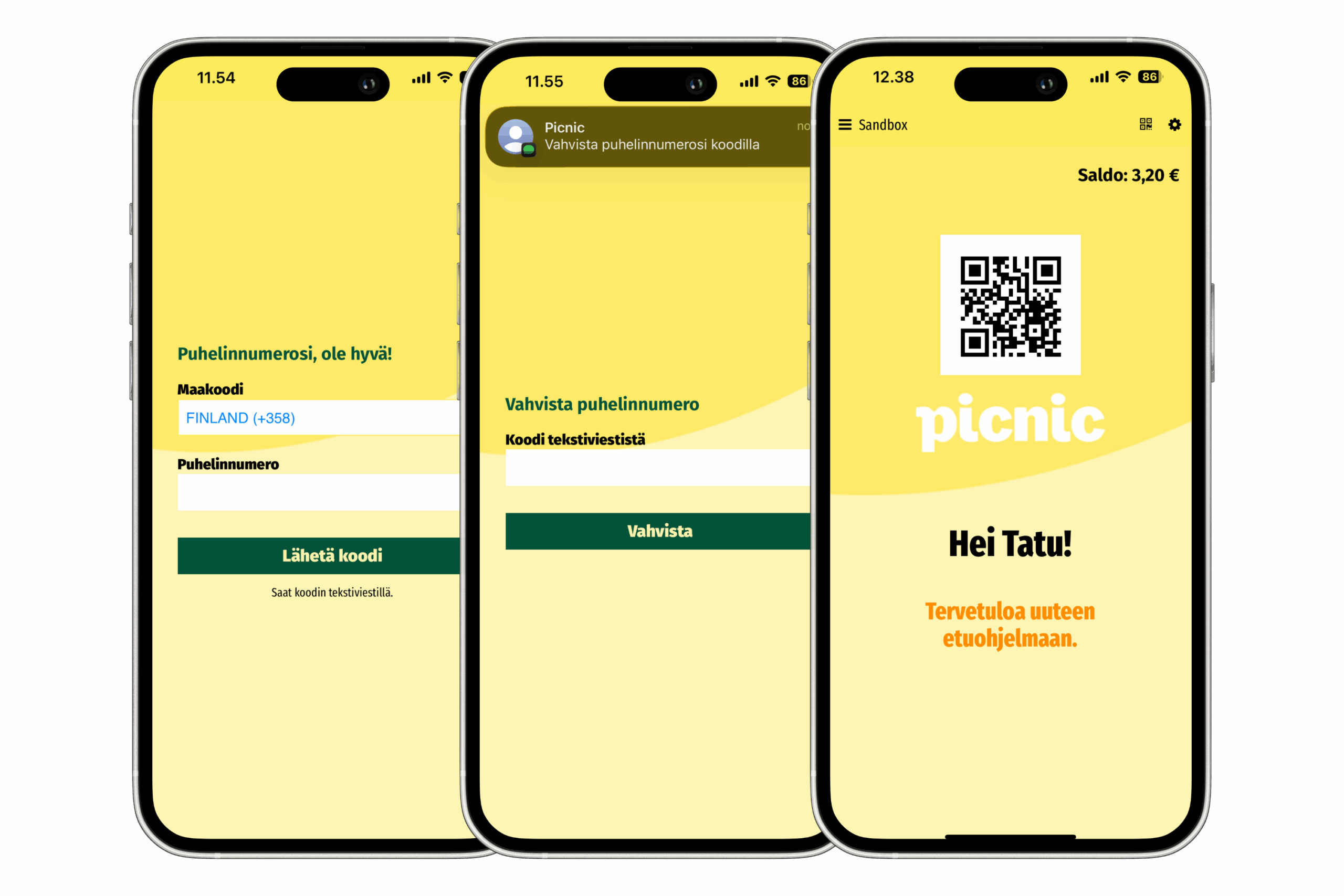
You log in to the Picnic app using the same phone number as your previous rewards program.
1. Download the new Picnic app from your app store.
2. Open the Picnic app.
3. Enter your phone number in the designated field.
4. Enter the verification code you received via SMS in the designated field.
5. Start using the new app.
Having trouble receiving a text message?
Sometimes the confirmation text message may end up in your spam folder. In that case, you’ll usually find the verification code under spam or junk in your messaging app. In some cases, the message might also be delivered to another app that receives text messages. Please check these using the instructions below.
Here’s how to access the spam folder in the Google Messages app:
- Open Google Messages / Viestit app
- Tap your profile icon or the three lines in the top right corner.
- Select ‘Spam & blocked’.
- If you see ‘Picnic’ in the folder, tap it.
- Tap ‘Not spam’. From now on, your text messages will appear in the Messages app, and you’ll get a notification when a message arrives.
Your balance grows as you eat.
You earn balance from all your purchases made at Picnic restaurants.
The more often you visit, the more benefits you get. Remember to always show the Picnic app at the checkout before paying for your purchases. (For more information on collecting balance, see “How do I earn balance?”)
Seasonal offers
We offer Picnic app users seasonal deals four times a year.
Remember to enable marketing messages in your profile so you’re always the first to hear about our new products and offers.
Additionally, Picnic app users always enjoy the baguette of the month at a special discounted price.
Of course! You can use benefits as follows:
You use the Picnic balance you’ve earned by showing your QR code at the checkout. Once the code is successfully scanned, our staff will verify your available balance, and you can use it to pay for your purchase either in full or partially.
You redeem offers by opening the offer in the app and showing it at the checkout before paying. Our staff will ask you to confirm the use of the offer by clicking the “Redeem” button.
The purchase limit for our seasonal coupons is 2 offers per redeemed coupon, meaning you can use the offer twice when redeeming the coupon.
You can also use multiple coupons on the same receipt, but please note that combining coupons does not always guarantee the lowest price. Always check with our staff whether using multiple offers at once is worthwhile.
No, there is a limit to advancing tiers.
A visit is counted as a single purchase made within one hour at our restaurant, where the Picnic app QR code is shown at the checkout before payment.
Any new purchase made within the same hour will still contribute to your monthly spending total, but it will not advance you to the next visit tier.
No, the Picnic-äppi cannot be used on external sales channels.
The loyalty program is only available when you make purchases directly at our restaurant.
Unfortunately, loyalty program benefits are not available for orders placed through external sales platforms.
No, the Picnic-äppi is personal and cannot be used on someone else’s behalf.
The Picnic-äppi is personal, but you can earn rewards from all the purchases you pay for yourself.
Editing your personal information
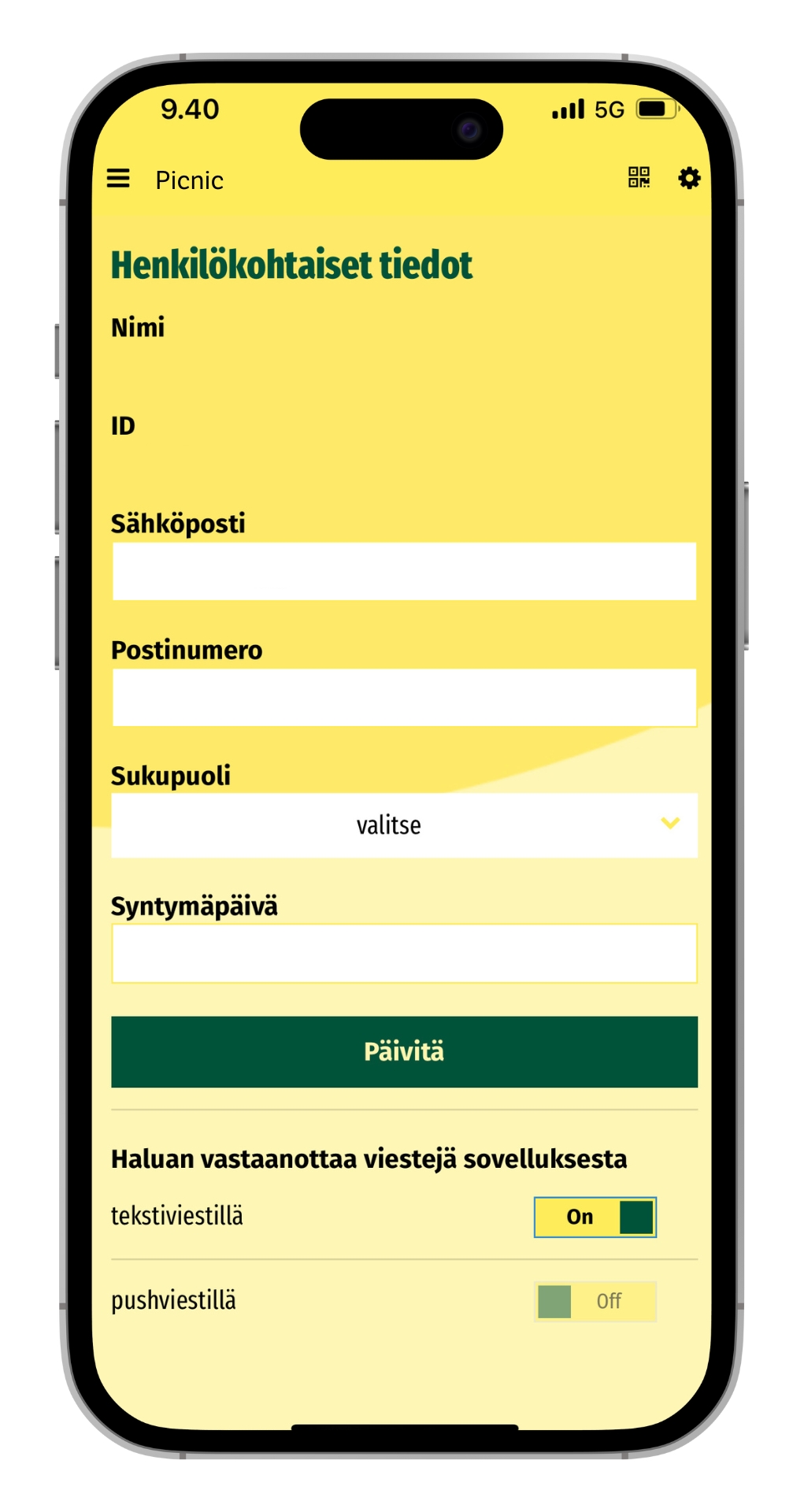
You can find your personal information in the top corner of the app by tapping the gear icon.
After registration, you can edit your email address, postal code, gender, date of birth, and marketing consent preferences.
If your phone number or name changes, please contact us using the form below.
When your phone number changes, we will transfer your previous account information to your new customer account.
Data deletion
Your privacy is important to us, which is why we handle the personal data we collect with the utmost care.
You can always request the deletion of your data from all our systems by contacting us via the form below.
Read our privacy policy here.

